

Renault Clio Radio Code
Get your Renault Clio radio code instantly from Reg, VIN or Radio serial number.
Finding Your Registration, VIN or Radio Serial Number
Tap an option below for help finding your details.

Enter your vehicle registration
Enter your vehicle registration in the box at the top of this page.
Enter your registrationV5C Logbook
Get your VIN from the V5C logbook, on the right-hand side of page 1.
Your VIN contains 17 letters and numbers.Example: VF1R9800612345678
MOT test certificate
Get your VIN from your MOT test certificate, at the top left under “Vehicle Identification Number”.
Your VIN contains 17 letters and numbers.Example: VF1R9800612345678
VIN from the vehicle
Base of the windscreen
Your VIN contains 17 letters and numbers.Example: VF1RJA02265159575
Inside the door
Your VIN contains 17 letters and numbers.Example: VF1RJA02265159575
Find your radio below, then follow the instructions to locate the radio serial number.
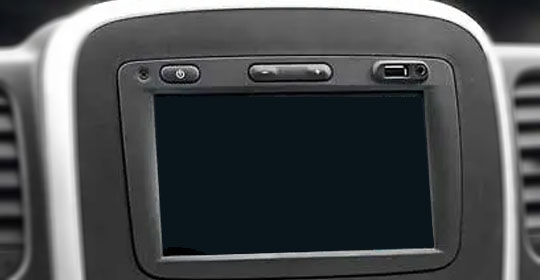
Renault Sat Nav
Carefully remove the surrounding trim, undo the four screws and slide the unit partly out to access the serial label.
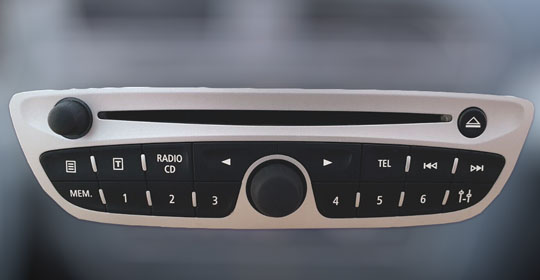
Renault Bosch Radio
Use radio release keys to slide the radio partly out and find the serial label on the casing.
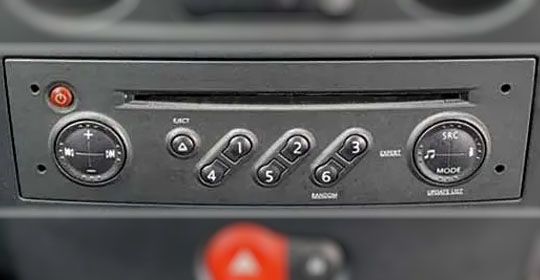
Renault Philips Radio
Use radio release keys to slide the radio partly out. Look for the serial label on the back, side or top.
How To Enter Your Renault Clio Radio Code
- Switch onTurn on your radio and wait for 0 0 0 0.
- Enter your codePress 1 repeatedly to set the first digit. Use 2, 3 and 4 for the remaining digits.
- ConfirmCheck your code, then press and hold 6.
Renault Clio Radio Codes – Frequently Asked Questions
We can find and issue your code instantly on screen, we just need your vehicle reg, radio serial number or VIN.
Yes, it is possible to get the radio code from VIN or Reg plate and delivery is usually instant.
No, sorry we only offer a paid service for Renault radios.
Yes, we guarantee that your radio code will work or your money back.
Yes, we offer support via the contact page.